Grow your automotive business with VeFix
Join thousands of vendors selling parts, offering services, and listing vehicles to customers across the UK.
-
Reach millions of vehicle owners
-
Easy-to-use seller dashboard
-
Secure payments, fast payouts
Popular brands found on VeFix
*Names used for identification only. VeFix is not affiliated with these brands.
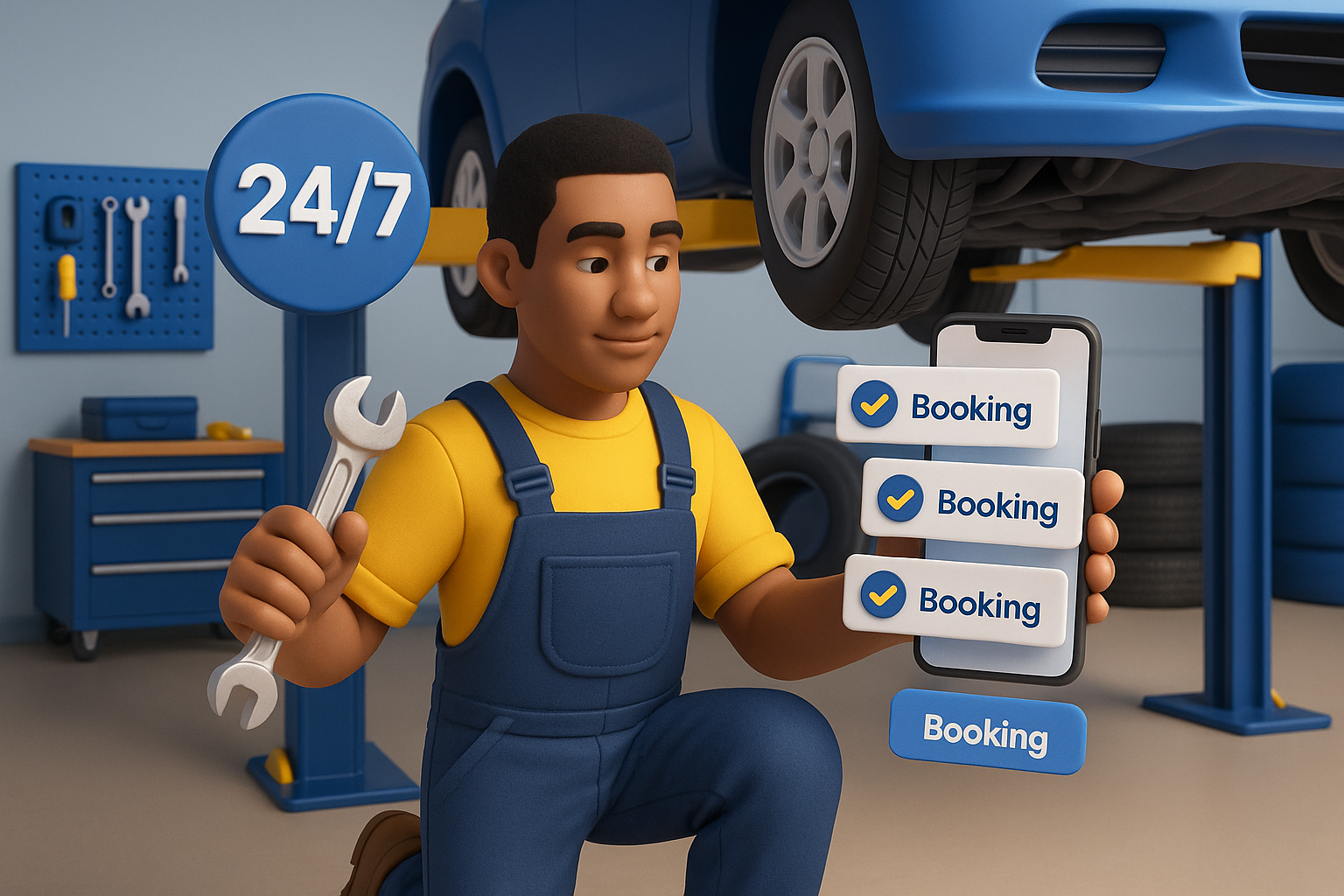
Everything your vehicle needs, in one place
Book trusted garages, buy parts that fit and keep your MOT, tax and servicing on track, all from one free account.
-
Book trusted garages online, 24/7
-
Parts matched to your vehicle
-
MOT, tax and service reminders in one garage
Add your vehicle in under a minute.
- MOT Valid · 5 months
- Road tax Taxed
- Next service Due in 28 days
- Health check 26 of 28 OK
Book, buy and browse in one place

Book services
MOTs, servicing, tyres, repairs and detailing. Compare garages by price and reviews, pick a free slot and book online.
Find a garage
Buy parts that fit
Search by your vehicle and see the parts listed as compatible with it, with delivery or click-and-collect.
Shop parts
Find your next vehicle
Cars, vans and motorcycles to buy, rent or lease from dealers and sellers across the UK, with full specs and photos.
Browse vehiclesYour vehicle, looked after
Reminders, health checks and full history for every vehicle you own, plus you stay in control of every job and every penny.
My Garage
Add your vehicles by registration. Make, model, fuel, engine size, MOT and tax dates are filled in from the DVLA.
Vehicle Health Check
Garages record a 28-point health check when you visit, and your garage shows the latest status of every point.
Next Service Reminders
When a garage logs your service, VeFix works out when the next one is due and reminds you 30 days before.
MOT & Tax at a Glance
See when the MOT and road tax are due for every vehicle you own, without digging out paperwork.
Nearby Fuel Prices
See the cheapest petrol and diesel near you, with prices updated daily from the stations around your saved address.
Parking
Coming soon: find parking near where you are heading and check prices before you set off.
Toll Charges
Coming soon: check the tolls and charge zones on your route so there are no surprise fines later.
Approve Extra Work
If a garage spots something else, they send you the items, photos and price. Only work you approve is added to your bill.
Quotes Before You Pay
For jobs priced "from", the garage sends you a proposal first and you accept it before paying anything.
You Confirm the Job
When a garage marks your booking complete, you confirm it. If something isn't right, raise it before it's closed.
Refunds & Disputes
Request a refund or return, or open a dispute from your order or booking, and the VeFix team helps resolve it.
Service History
Every completed booking and health check for each vehicle, kept together in your garage.
Easy Rescheduling
If a garage needs to move your booking, accept or decline the new time in one click.
Message Sellers
Ask questions, send photos and get quotes straight from the chat, with every conversation in one inbox.
Verified Reviews
Only customers who actually bought or booked can leave a review, so ratings reflect real work.
Verified Vendors
Look for the Verified badge: identity, phone number and Companies House details checked.
Mobile App
Bookings, orders, reminders and messages in your pocket, on iOS and Android.
Pay your way
Unexpected repair bill? Pay securely online, put down a deposit, or spread the cost with split payments.
-
Card payments
Pay securely by card through Stripe. Your card details are never shared with the seller.
-
Deposits
Where a garage takes deposits, secure your slot now and pay the rest when the job is done.
-
Split payments with Klarna or Clearpay
Spread the cost of a service, repair or parts order into smaller payments.
- 1 Today £100.00
- 2 In 30 days £100.00
- 3 In 60 days £100.00
How it works
Add your vehicle
Enter your reg and we fill in the details
Find & compare
Garages, parts and vehicles near you
Book or buy
Pay securely online in a few taps
Stay on top of it
Reminders, history and health checks
Every job, tracked from booking to invoice
See what's booked, what's in progress and what's been done. Confirmations, reminders and invoices all sit in your account, for every vehicle and every garage.
-
Instant confirmation when a garage accepts
-
Reminders before the day of your booking
-
Invoices and job history kept for every vehicle
-
Full serviceSmith's Garage · Tue 10:30£180.00Confirmed
-
MOT testKings Auto Centre · Fri 09:00£54.85Awaiting
-
Brake pads fittedSmith's Garage · 12 Sep£210.00Completed
Reviews from real customers only
Verified vendor badges
Secure card payments via Stripe
Refunds & disputes handled by VeFix
See if VeFix is right for your workshop
Answer 3 quick questions and we'll send your results straight away.
How many workshop ramps do you currently operate?
Built for the motor trade
Tools that run your listings, bookings, payments and customers in one place. Click any feature to see how it works.
Vendor Dashboard
Run products, services, vehicles, orders, bookings and messages from one cloud-based dashboard.
What it is
Your dashboard is the control centre for your whole business on VeFix. Everything you list, sell or book flows into one place, accessible from any device with a browser.
How it works
- 1 Sign in and land on an overview of recent orders, bookings, messages and revenue.
- 2 Jump to any area (products, services, vehicles, orders, bookings, invoices, customers, earnings) from the sidebar.
- 3 Act on what needs attention: fulfil an order, confirm a booking, reply to a customer.
- 4 Staff members get their own simplified home screen showing only what they're allowed to see.
Highlights
- Works on desktop, tablet and mobile
- Shared inbox for notifications and messages
- One login for every part of your business
Product Listings
List parts and accessories with vehicle compatibility, variants, shipping options and click-and-collect.
What it is
List parts and accessories with photos, pricing, stock, specifications and vehicle compatibility. Customers searching by their vehicle only see parts that fit.
How it works
- 1 Create a product with title, photos, price, stock, category and specifications.
- 2 Add compatible makes, models and years, or leave it universal.
- 3 Set shipping options per product (courier, flat rate or per-mile) and add pickup locations for collection.
- 4 Publish. Your product appears in search, category pages and your storefront; stock updates as orders come in.
Highlights
- Vehicle compatibility matching
- Variants (size, colour, etc.) and bundles
- Per-product shipping & pickup locations
- Bulk import from CSV and export
Online Booking
Take service bookings 24/7 with real time slots, deposits and no-show protection built in.
What it is
Customers book MOTs, servicing, tyres, detailing and any other service you offer directly from your VeFix storefront, even while you're closed.
How it works
- 1 Add a service with price, duration, buffer time, minimum notice and how many bookings you'll take per day.
- 2 Choose whether customers pay online, in person, or leave a deposit, and switch on no-show protection if you want it.
- 3 Customers pick a date and a free slot, add their vehicle by registration, and confirm.
- 4 The booking lands in your dashboard and calendar; confirm, assign it to a staff member or bay, and complete it when done.
Highlights
- Live slot availability & calendar view
- Deposits and no-show fees
- Service variants and mobile (at-customer) services
- Assign bookings to staff and bays
Vehicle Listings
List vehicles for sale, rent, lease or auction with full specs and photos, with no commission on sales.
What it is
Sell, hire or lease vehicles with a listing that looks like a proper dealer page (gallery, full specification, features, price and enquiry button), with no commission on vehicle sales.
How it works
- 1 Create the listing by registration lookup or by picking make, model and year manually.
- 2 Choose the listing type: buy, rent (with daily rates and optional deposit), lease (monthly price) or auction.
- 3 Upload photos, add features and specifications, set the price and publish.
- 4 Buyers find it through search and filters; rental bookings come into your bookings list like any other job.
Highlights
- Sale, rental, lease and auction listings
- Rental bookings with deposits
- No commission on vehicle sales
- Bulk import from CSV
Payments & Payouts
Stripe-powered card payments, with earnings paid out to your bank and every transaction tracked.
What it is
VeFix handles card payments through Stripe so you never touch card details. Funds are collected on your behalf, the commission is deducted, and the balance is paid out to your bank account.
How it works
- 1 Connect your bank account once from Payouts (Stripe Connect onboarding).
- 2 Customers pay by card at checkout, when booking, or through an invoice pay link.
- 3 VeFix deducts its commission and records the transaction against your account.
- 4 Payouts go to your bank on a weekly schedule; see your balance, payout history and every transaction in Earnings.
Highlights
- PCI-compliant via Stripe
- Weekly payouts to your bank
- Earnings, balance & transaction history
- Refunds handled from the dashboard
Orders & Disputes
Track and fulfil orders with tracking numbers, and handle refund, return and dispute requests in one place.
What it is
Every product order arrives in one list with its status, items, customer and delivery details. Move it through processing, shipped and delivered, and the customer is notified at each step.
How it works
- 1 A new order appears in your dashboard and you get an email or push alert.
- 2 Open the order to see items, quantities, customer and delivery address.
- 3 Update the status as you pack and ship, adding the courier and tracking number.
- 4 If a customer requests a refund or return, it shows in Disputes where you can review and resolve it.
Highlights
- Status filters & search
- Tracking number & courier
- Downloadable order invoices
- Refund, return & dispute handling
Customer Messaging
A built-in inbox for customer conversations, with photos, files and links, and quotes sent straight from the chat.
What it is
A built-in inbox keeps every customer conversation in one place alongside your notifications, so you never lose context or have to dig through emails.
How it works
- 1 A customer messages you from a listing, order or booking.
- 2 You get notified and reply from your dashboard or the mobile app.
- 3 Send photos, attach files and share links (with previews) straight into the conversation.
- 4 Need to price a job? Start a quote from the thread and the customer gets a pay link.
Highlights
- Photo & file attachments
- Link previews
- Create a quote from a conversation
- Booking-level file sharing with customers
Reviews & Ratings
Verified customer reviews on your storefront, plus your existing Google and Trustpilot reviews pulled in.
What it is
Only customers who actually bought or booked with you can leave a VeFix review, so your rating reflects real work. You can also connect Google and Trustpilot so your existing reputation shows too.
How it works
- 1 After an order or booking is completed, the customer is invited to review.
- 2 They rate you out of 5 and leave a comment; it shows on your storefront and feeds your overall rating.
- 3 Connect your Google Place ID or Trustpilot business ID from the Reviews page.
- 4 Your external reviews are imported and displayed alongside VeFix reviews.
Highlights
- Verified-purchase reviews only
- Google & Trustpilot import
- Rating shown in search results
Invoices & Quotes
Create quotes and invoices with VAT and discounts, send them with a pay-online link, and download or print PDFs.
What it is
Build a quote or invoice for any customer in a couple of minutes, send it by email with a secure pay link, and see when it's been viewed and paid. Order and booking invoices are generated for you.
How it works
- 1 Create an invoice: pick or add the customer, add line items, VAT, discount and due date.
- 2 Send it. The customer gets an email with a link to view and pay online by card.
- 3 Track status (sent, viewed, paid, overdue) and send reminders from the invoice.
- 4 Download or print the PDF, export your invoices to Excel, and handle deposits and refunds from the same screen.
Highlights
- Pay-online links
- VAT, discounts & deposits
- Viewed / paid tracking with reminders
- PDF download, print & Excel export
Custom Storefront
Your own public storefront with a QR code, arranged how you like, with hours, gallery, amenities and policies.
What it is
Every vendor gets a public storefront at vefix.co/vendor/your-name with tabs for products, services, vehicles, reviews, about and policies. You control what shows and in what order.
How it works
- 1 Add your logo, cover image, gallery, opening hours, amenities and business policies.
- 2 Open Arrange and drag rows and cards into the order you want; pin a "picked by vendor" row and hide rows you don't need.
- 3 Share your link or print the QR code for your counter, van or flyers.
- 4 Pause bookings any time: your storefront stays live while the booking button is switched off.
Highlights
- Drag-and-drop layout
- Printable QR code
- Gallery, hours, amenities & policies
- Pause bookings with one switch
Registration Lookup
DVLA registration lookup fills make, model, fuel, engine, MOT and tax dates on bookings and customer records.
What it is
Type a registration plate and VeFix pulls the vehicle's make, model, year, colour, fuel type, transmission, engine size and MOT/tax due dates from the DVLA in seconds.
How it works
- 1 A customer enters their registration when booking; you can do the same when adding a customer, quote or listing.
- 2 VeFix queries the DVLA and fills in the vehicle details automatically.
- 3 You see exactly which vehicle is coming in before the job starts.
- 4 Every lookup is saved against the customer, so next time it's already there.
Highlights
- Instant DVLA data
- MOT & tax due dates
- Lookup history per customer
Analytics & Earnings
See revenue, orders, bookings and your best-selling products, services and vehicles over any period.
What it is
Know what's working. Analytics shows revenue, order and booking volume and your top-performing listings over the period you choose, while Earnings breaks down every transaction and payout.
How it works
- 1 Open Analytics and pick a period (last 7, 30, 90 days and more).
- 2 See revenue, orders and bookings for that window at a glance.
- 3 Check your top products, top services and top vehicles, plus recent reviews.
- 4 Open Earnings for the full transaction list, balance and payout history.
Highlights
- Revenue & volume by period
- Top products, services & vehicles
- Full transaction and payout history
Staff Management
Invite your team, set what each person can do, manage working hours and assign bookings and tasks.
What it is
Give technicians, receptionists or managers their own login. Each person only sees the parts of the dashboard you allow, and you can schedule their hours and give them tasks.
How it works
- 1 Invite a team member by email from Staff Management.
- 2 Tick the permissions they get: orders, bookings, messages, listings, invoices and so on.
- 3 Set their working hours and assign bookings or one-off tasks to them.
- 4 They log in to their own staff home screen showing just their work.
Highlights
- Granular permissions
- Working hours per staff member
- Assign bookings & tasks
- Staff-only home screen
Booking Rescheduling
Propose a new date or time for a booking and let the customer accept it in one click.
What it is
Something come up? Instead of phone tag, propose a new slot from the booking and the customer accepts or declines from the link they receive.
How it works
- 1 Open the booking and choose "Propose new time".
- 2 Pick the new date and slot and add a short note.
- 3 The customer receives the proposal and reviews it on a simple accept/decline page.
- 4 They accept with one click and the booking updates for both of you; every proposal is kept on the booking's history.
Highlights
- One-click customer acceptance
- Full reschedule history on the booking
- Automatic notifications both ways
Extra Work Suggestions
Found something else during the job? Suggest additional work with a price and let the customer approve it.
What it is
When a vehicle is in and you spot extra work, send the customer a suggestion with the items, notes and price difference. They approve or decline, and an additional invoice is raised for the approved work.
How it works
- 1 From the booking, add a suggestion with the extra items, your notes and the price difference.
- 2 Attach photos or documents so the customer can see what you found.
- 3 The customer is notified and approves or declines with their own notes.
- 4 Approved work gets a supplementary invoice and the booking continues.
Highlights
- Itemised suggestions with price difference
- Photo & file attachments
- Customer approval trail
- Supplementary invoice raised automatically
Gift Cards & Promo Codes
Sell gift cards and create discount codes to win new customers and bring existing ones back.
What it is
Issue gift cards with a value and recipient, and set up promotional discount codes that customers apply at checkout. Both are managed from one page with their balances and usage.
How it works
- 1 Create a gift card with a value, recipient name and email and an optional note.
- 2 Create a promo code with the discount and any limits you want.
- 3 Share the code or card with customers.
- 4 Track balances, redemptions and usage from the dashboard.
Highlights
- Gift cards with tracked balances
- Promotional discount codes
- Usage history
SMS & WhatsApp
Text customers straight from the dashboard, open WhatsApp chats in one tap, and top up SMS credits as you go.
What it is
Reach customers where they actually read messages. Send SMS from the dashboard using a credit balance, and jump into a WhatsApp conversation from any customer record.
How it works
- 1 Open SMS & WhatsApp or a customer's record.
- 2 Write your text and send it; every message is logged with its delivery status.
- 3 For WhatsApp, tap the WhatsApp button on the customer record to open the chat.
- 4 Top up SMS credits by card when you're running low; you're warned before you run out.
Highlights
- Send SMS from the dashboard
- One-tap WhatsApp from customer records
- Delivery log
- Pay-as-you-go credit top-ups
Customer Records
A record for every customer with their vehicles, bookings, orders, invoices and messages in one place.
What it is
Every customer who buys, books or messages you gets a record. Open it to see their vehicles, past jobs, orders, invoices and lookups, so you know the history before you pick up the phone.
How it works
- 1 Customers are added automatically when they order, book or message you; you can also add them by hand.
- 2 Import your existing customer list from a spreadsheet.
- 3 Open a record to see contact details, vehicles, history and stats.
- 4 Message, text or WhatsApp them, or start a quote, directly from the record.
Highlights
- Automatic records from orders & bookings
- Spreadsheet import
- Vehicles & full history per customer
- Message, SMS, WhatsApp or quote from the record
Bays & Lifts
Set up your garage bays or vehicle lifts with their own hours and assign bookings to them.
What it is
Model your workshop the way it really is. Add each bay or lift, give it working hours, and assign bookings and services to it so you never double-book a ramp.
How it works
- 1 Add your bays or lifts from the Lifts page, each with a name and description.
- 2 Set the working hours for each one.
- 3 Assign a service or an individual booking to a bay.
- 4 See at a glance what's booked onto each bay from the bookings calendar.
Highlights
- Unlimited bays / lifts
- Working hours per bay
- Assign services or bookings to a bay
Verified Vendor Badge
Verify your identity, phone and Companies House details to earn a badge customers trust.
What it is
Badges tell customers you're a real, checked business. Verification combines an identity document, phone verification and an automatic Companies House check, and the badge appears on your storefront, listings and search results.
How it works
- 1 Complete your business profile and enter your company registration number.
- 2 VeFix checks the number against Companies House automatically.
- 3 Upload your identity document and verify your phone number by SMS.
- 4 Once approved, the Verified badge shows next to your name across VeFix.
Highlights
- Companies House check
- Identity document & phone verification
- Badge shown on storefront, listings & search
Mobile App & Notifications
Manage your business from the VeFix app for iOS and Android, with push and email alerts you control.
What it is
The VeFix app puts your dashboard in your pocket, with push notifications for new orders, bookings, messages and reviews so you can respond from the workshop floor. Choose exactly which alerts you get by email and by push.
How it works
- 1 Download the app for iOS or Android from the download page and log in with your usual account.
- 2 Pick which events notify you (new orders, bookings, messages, reviews) by email and by push.
- 3 Get alerted the moment something needs your attention.
- 4 Reply to customers, update orders and confirm bookings from your phone.
Highlights
- iOS & Android
- Push and email alerts per event
- Same account, same data
Multiple Stores
Run more than one business or branch from a single login and switch between them in a click.
What it is
Operate several branches or brands under one account. Each store has its own storefront, listings, bookings, staff and earnings, and you switch between them from the dashboard.
How it works
- 1 Create an additional vendor profile from your account.
- 2 Set its address, opening hours, services and staff independently.
- 3 Switch between stores from the dashboard menu.
- 4 Customers find each store separately in search, by its own name and location.
Highlights
- Separate storefront per store
- Independent listings, bookings & staff
- One login, quick switching
Referrals
Share your referral code and earn rewards when other businesses join VeFix.
What it is
Every vendor gets a personal referral code and link. Share it with other garages, dealers or sellers and earn rewards when they sign up.
How it works
- 1 Open Referrals to find your unique code and link.
- 2 Share it by message, email or social media.
- 3 When someone signs up with your code, it's tracked against your account.
- 4 Watch your total referrals and rewards grow on the same page.
Highlights
- Personal referral code & link
- Referral tracking
- Rewards for successful sign-ups
Help Centre & Guides
Step-by-step how-to guides, documentation, FAQs and a chat assistant, with priority support on paid plans.
What it is
You're not left to figure it out alone. VeFix has a help centre, searchable documentation, how-to guides for every part of the dashboard and a chat assistant, plus a UK-based team by email and phone.
How it works
- 1 Search the Help Centre or Docs for the answer.
- 2 Follow the how-to guides for step-by-step walkthroughs.
- 3 Ask the chat assistant on any page for a quick answer.
- 4 Still stuck? Contact the team. Pro and Enterprise vendors are answered first, and Enterprise gets a dedicated account manager.
Highlights
- Help centre, docs & how-to guides
- Chat assistant
- Priority support on Pro, dedicated manager on Enterprise
Why vendors choose VeFix
Massive Audience
Get your products and services in front of thousands of active vehicle owners searching for exactly what you offer.
Powerful Tools
Manage inventory, track orders, respond to customers, and analyze performance, all from one dashboard.
Secure & Reliable
We handle payments securely and transfer funds to your account weekly. Focus on your business, not admin.
Sell products, services, or vehicles
Products
List OEM and aftermarket products with vehicle compatibility matching. Manage inventory, set pricing, and reach customers searching for the exact parts and products they need.
1M+ parts searches monthly

Services
Offer MOTs, tints, repairs, and detailing with online booking. Customers can find your garage, check availability, and book directly through VeFix.
15,000+ bookings made

Vehicles
List cars, vans, and motorcycles for sale or rent with detailed specs and photos! Get your vehicles in front of serious customers actively searching on VeFix.
Verified dealer badges available
Products
Services
Vehicles
Products
Services
Vehicles
Get started in minutes
Create your account
Sign up with your business details
Add your listings
Upload products, services, or vehicles
Get discovered
Customers find you through search
Get paid
Receive secure payments weekly
Create your account
Sign up with your business details
Add your listings
Upload products, services, or vehicles
Get discovered
Customers find you through search
Get paid
Receive secure payments weekly
Get paid your way
Take payment online the way that suits the job: in full up front, a deposit to hold the slot, or split payments so customers can spread the cost.
-
Card payments
Customers pay securely by card through Stripe. Funds land in your account on your payout schedule.
-
Deposits
Take a deposit to secure the slot and collect the balance once the job is done.
-
Split payments with Klarna or Clearpay
Let customers spread the cost into smaller payments while you get paid in full.
- 1 Today £100.00
- 2 In 30 days £100.00
- 3 In 60 days £100.00
Simple, transparent pricing
Priced per location. Add as many locations as you need; each is billed separately.
Standard
or £390/year per location (2 months free)
Single site getting started online
- 35 listings per location
- Owner + 1 staff account per location
- 5% + 20p transaction fee
- Weekly payouts
- Multiple bays
- MOT reminders (DVSA)
- Bookable storefront + QR code
- Reg lookup (service + price)
- Orders & bookings dashboard
- Customer messaging
- Reviews & ratings
- Performance analytics
- Standard support + onboarding
- Welcome kit: 2 A4 QR stickers per location
Professional
or £890/year per location (2 months free)
Busy garages with a full team
- Unlimited listings
- Owner + 6 staff accounts per location
- 2.5% + 20p transaction fee
- Daily payouts
- 150 free SMS credits per month
- Multiple bays
- MOT reminders (DVSA)
- Bookable storefront + QR code
- Reg lookup (service + price)
- Orders & bookings dashboard
- Customer messaging
- Reviews & ratings
- Performance analytics
- Priority support + onboarding
- Welcome kit: A1 foamex poster + 2 A4 QR stickers per location
Platinum
or Custom annual pricing
High-volume operators, single or multi-site
- Unlimited listings
- Unlimited staff accounts
- Custom rate transaction fee
- Daily payouts
- Multiple bays
- MOT reminders (DVSA)
- Bookable storefront + QR code
- Reg lookup (service + price)
- Orders & bookings dashboard
- Customer messaging
- Reviews & ratings
- Performance analytics
- Priority support + onboarding + designated account agent
- Welcome kit: A1 foamex poster + 2 A4 QR stickers per location
Trusted by vendors across the UK

Since listing on VeFix, our tyre fitting bookings have tripled. Customers find us easily and the review system keeps them coming back.

VeFix gave our detailing studio real visibility. We went from word-of-mouth only to fully booked weekends within a month.

Managing our hire fleet on VeFix is effortless. The dashboard handles bookings, availability, and payouts all in one place.
"Since listing on VeFix, our tyre fitting bookings have tripled. Customers find us easily and the review system keeps them coming back."
"VeFix gave our detailing studio real visibility. We went from word-of-mouth only to fully booked weekends within a month."
"Managing our hire fleet on VeFix is effortless. The dashboard handles bookings, availability, and payouts all in one place."
Common questions
Look after your vehicle the easy way
Add your vehicle, book trusted garages and never miss an MOT or service again.
Create your free accountFree to sign up • Add as many vehicles as you like
Ready to grow your business?
Join VeFix today and start reaching more customers.
Create Your Vendor AccountFree to get started • No credit card required
Book a Demo
Pick a date & time and we'll be in touch to confirm.
Demo Booked!
We've received your request and a member of our team will confirm your slot shortly.